
AiCrm · All your customers in one place, even if they come from five different places
 AI
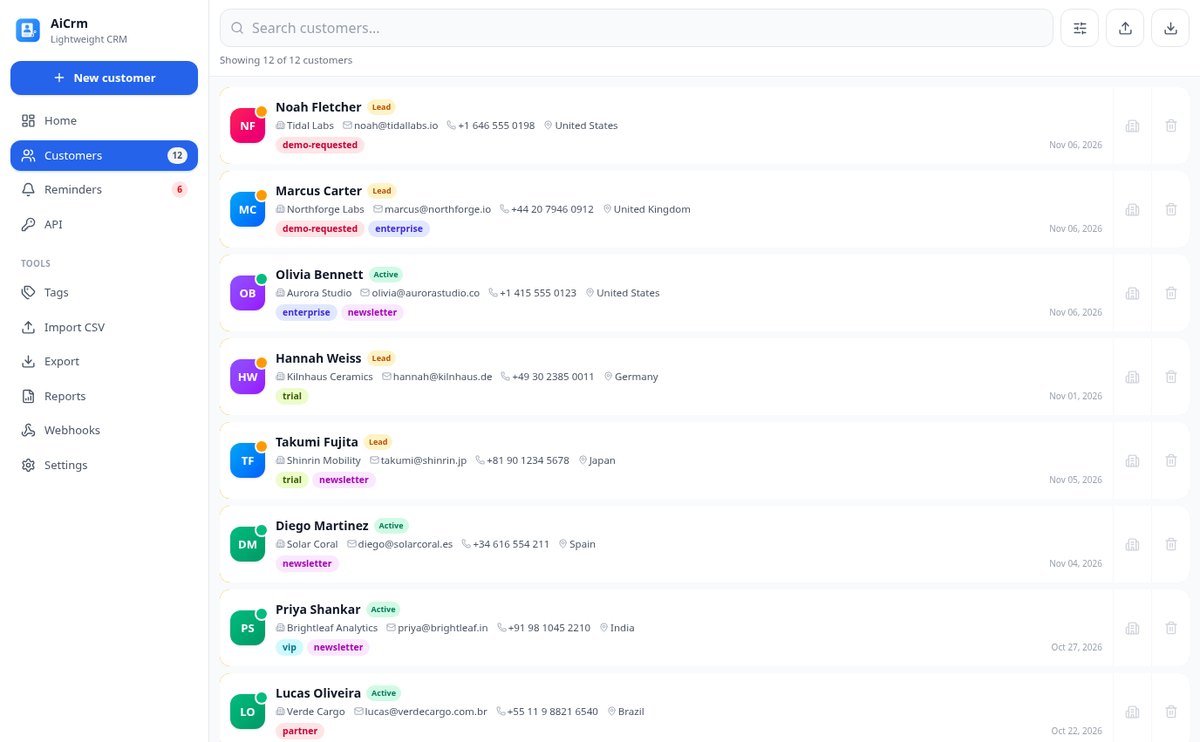
For small teams and developers whose contacts are spread across the website, form, chat, and a spreadsheet: AiCrm brings them together, tags them, and reminds you who you need to call today.
In the features that use AI, responses are generated by artificial intelligence and are not a substitute for professional advice.
O Spotify rejeita a foto da sua playlist sem dizer por quê, e o nome que você inventa é «Chill Vibes» como outras dez mil pessoas?
É o mesmo problema: sua playlist é sua marca e o Spotify não oferece nenhuma ferramenta para vesti-la. A rejeição da capa quase nunca é um mistério — é um HEIC do iPhone, uma foto que não é quadrada ou um arquivo de doze megas —, então aqui o arquivo é entregue medido: 1000×1000, JPEG, RGB, sem EXIF e abaixo do peso-alvo, e o selo mostra os números lidos do arquivo, não uma promessa. O rótulo é composto pelo servidor com tipografias reais sobre uma faixa limpa que o fundo reserva de propósito: a inteligência artificial pinta o fundo e não escreve nem uma letra, assim não saem erros nem letras deformadas. E o nome não fica em uma lista plana: é agrupado pela fórmula que realmente gera salvamentos, os genéricos são filtrados e é convertido na hora para os estilos de letra estéticos, com um semáforo que diz quais aparecem como quadrados vazios na tela do carro. É uma ferramenta independente: não é afiliada nem endossada pela Spotify AB, não se conecta à sua conta, não conta reproduções e não gera música.
Start for free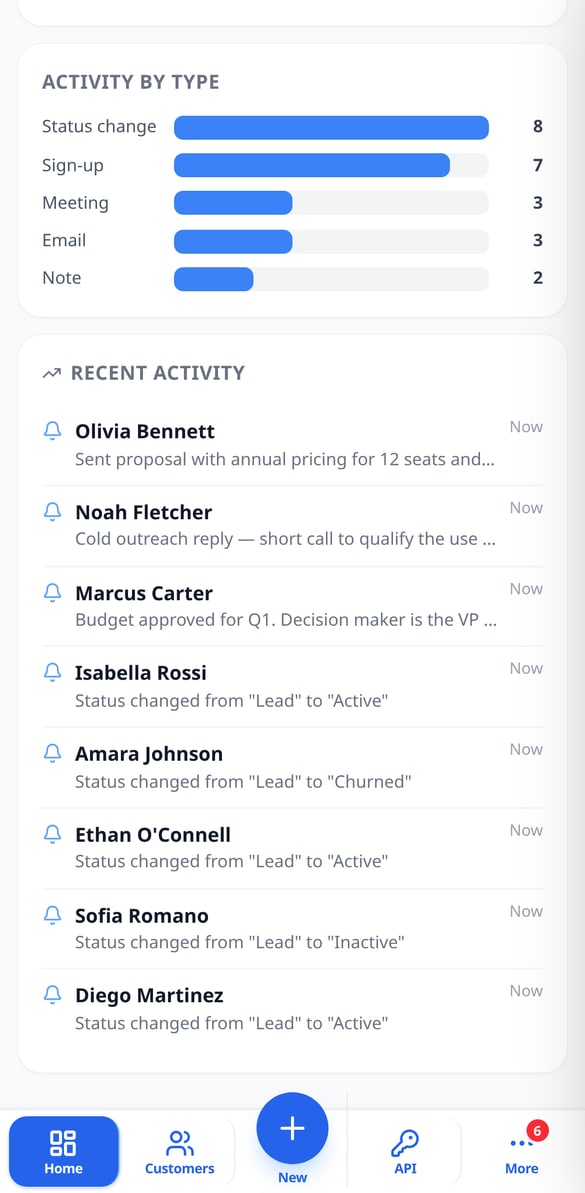
Discover every feature in detail

Customer Follow-up Reminders with Overdue Alerts | AiCrm
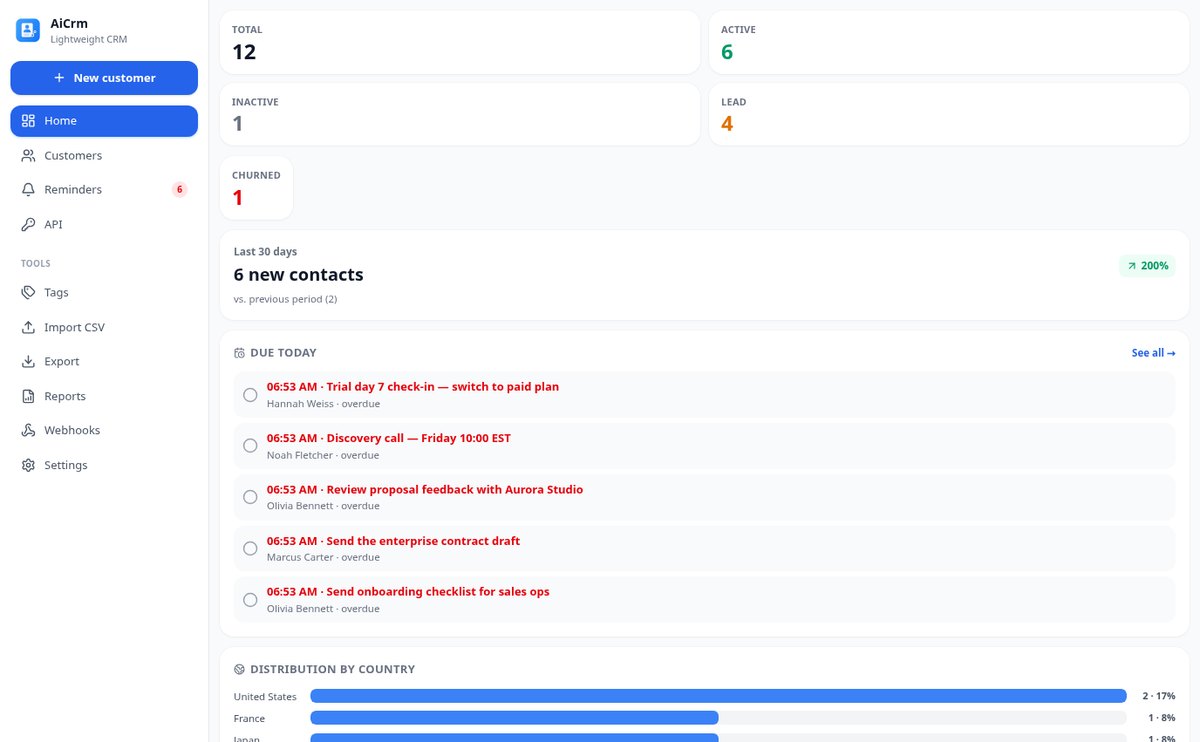
Schedule follow-ups with date and time on each customer record: AiCrm shows you today's pending tasks when you open the dashboard, marks overdue ones in red, keeps a pending counter and lets you postpone with one tap.
View feature
Customer funnel lead, active, inactive and lost | AiCrm
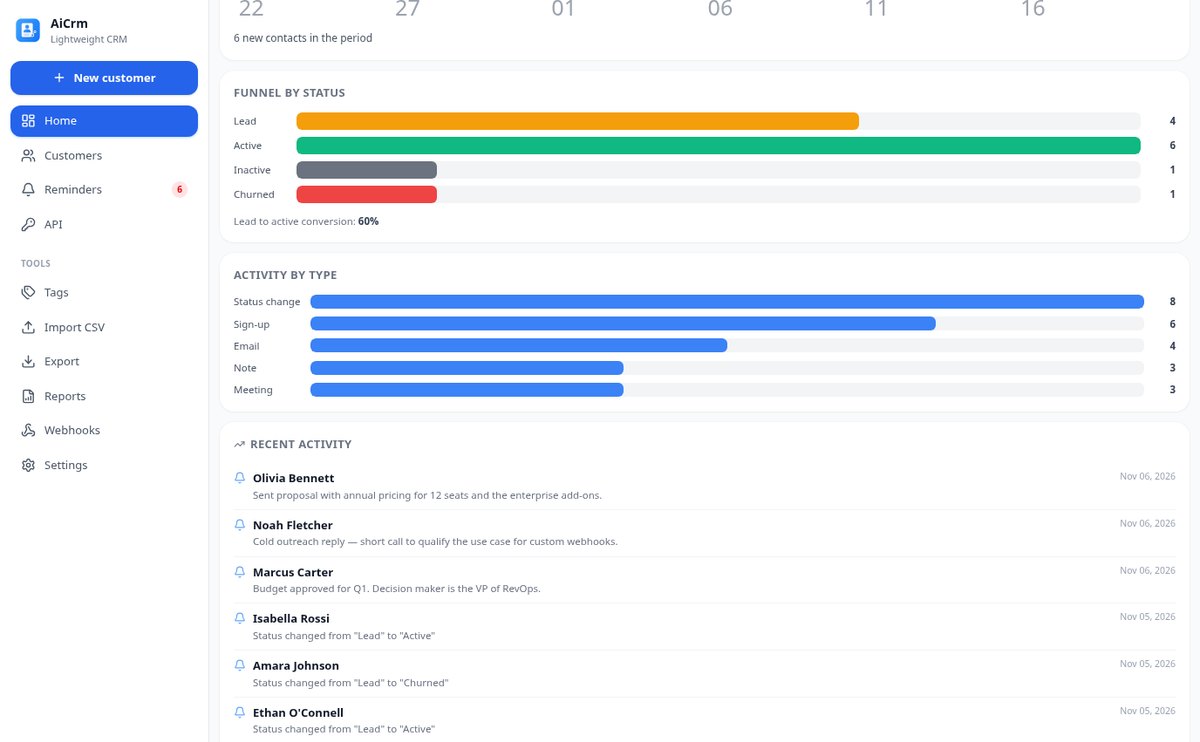
Classify each contact by lifecycle status—lead, active, inactive or lost—, check the funnel with lead to active conversion, filter by phase and let AiCrm move to inactive those with days of no activity.
View feature
Customer activity history: automatic timeline | AiCrm
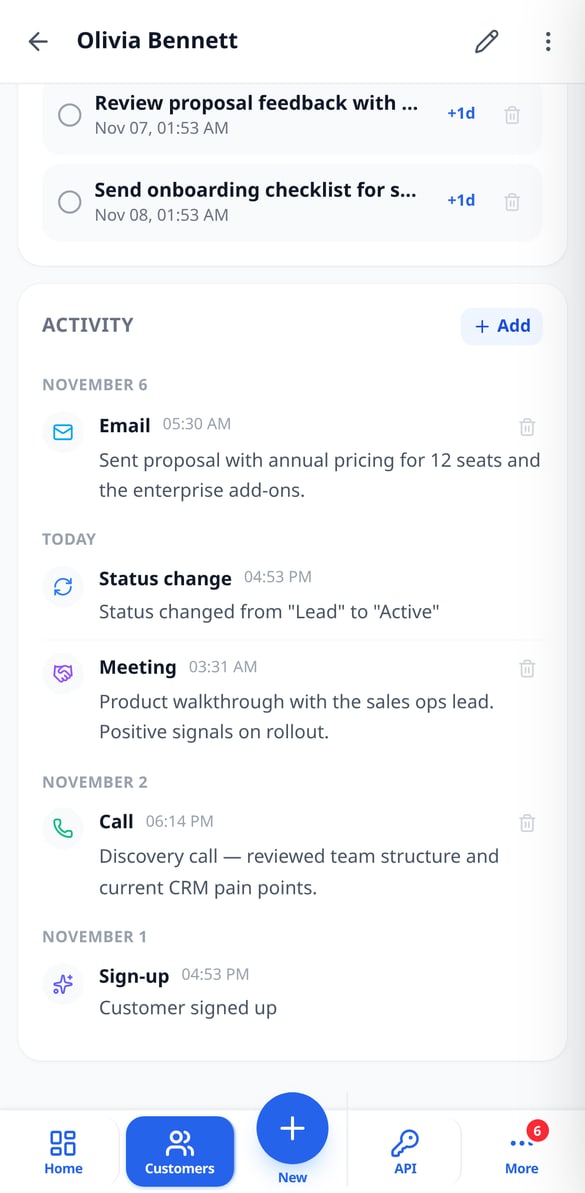
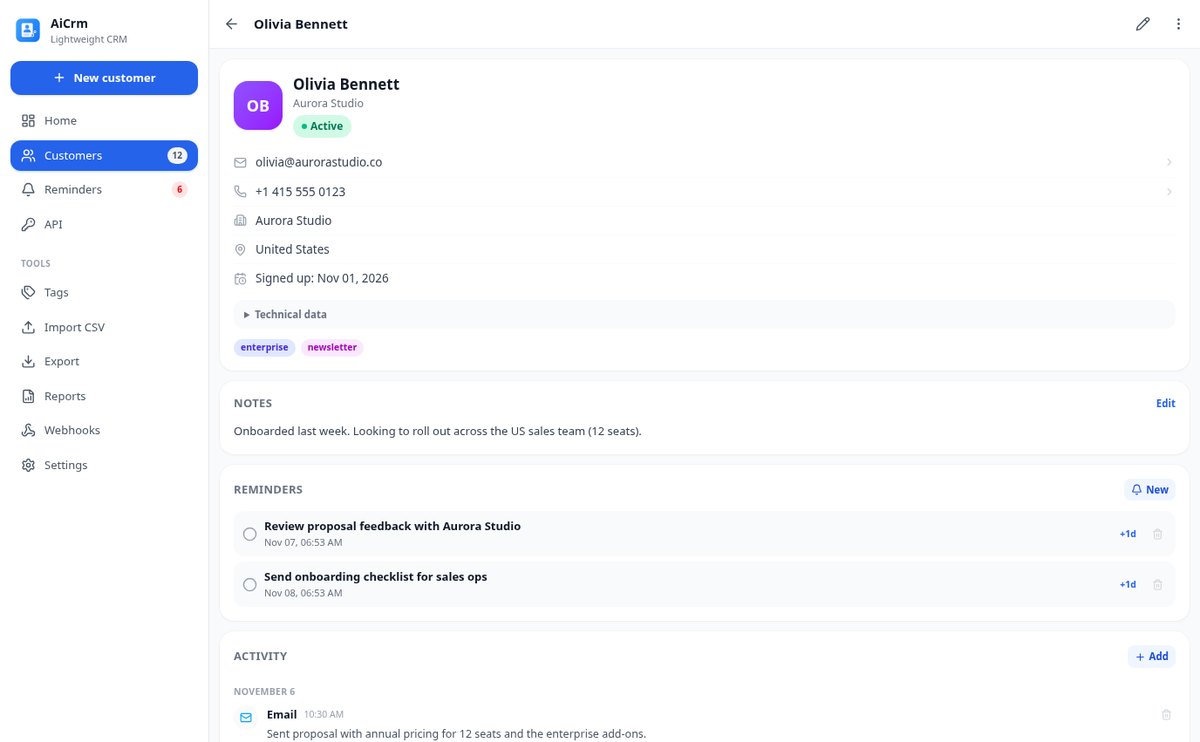
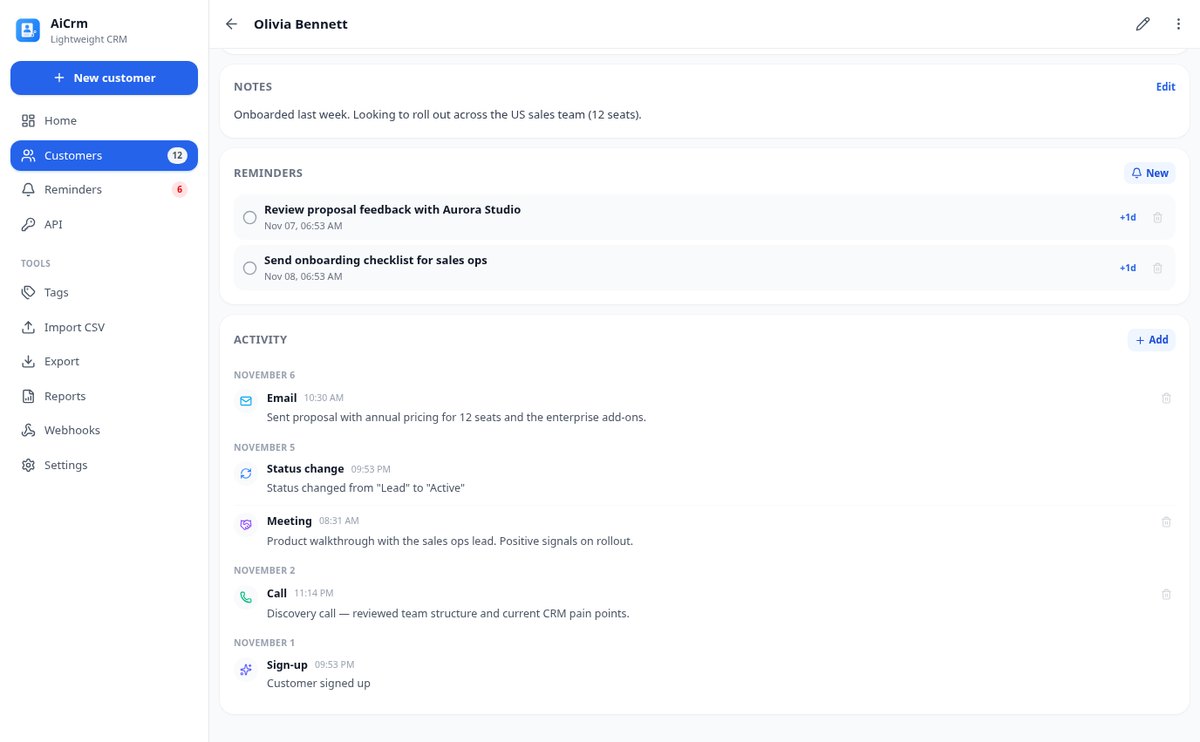
Record everything that happens with each customer on a timeline: sign-ups, status changes, and merges are written automatically, and you add calls, emails, meetings, visits, tasks, and notes with their actual date.
View feature
Detect and Merge Duplicate Contacts in Your CRM | AiCrm
AiCrm finds duplicate contacts by email, phone, or similar name and lets you merge them field by field, combining tags and reassigning activity and reminders to the contact record you keep.
View feature
Import Contacts from CSV to CRM, up to 10,000 Rows | AiCrm
Upload your CSV to AiCrm: it only detects the delimiter and columns (name, email, phone, company, country, tags), imports in batches of 100 with progress, and resumes without duplicating if interrupted. Error CSV for correction and retry.
View feature
REST API for CRM with signed webhooks | AiCrm
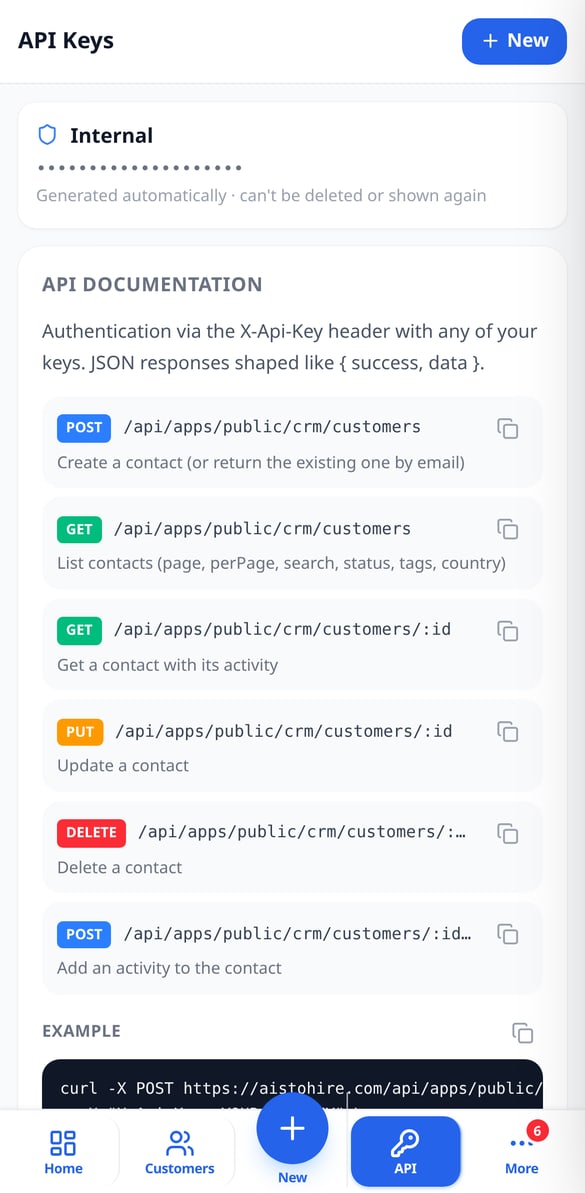
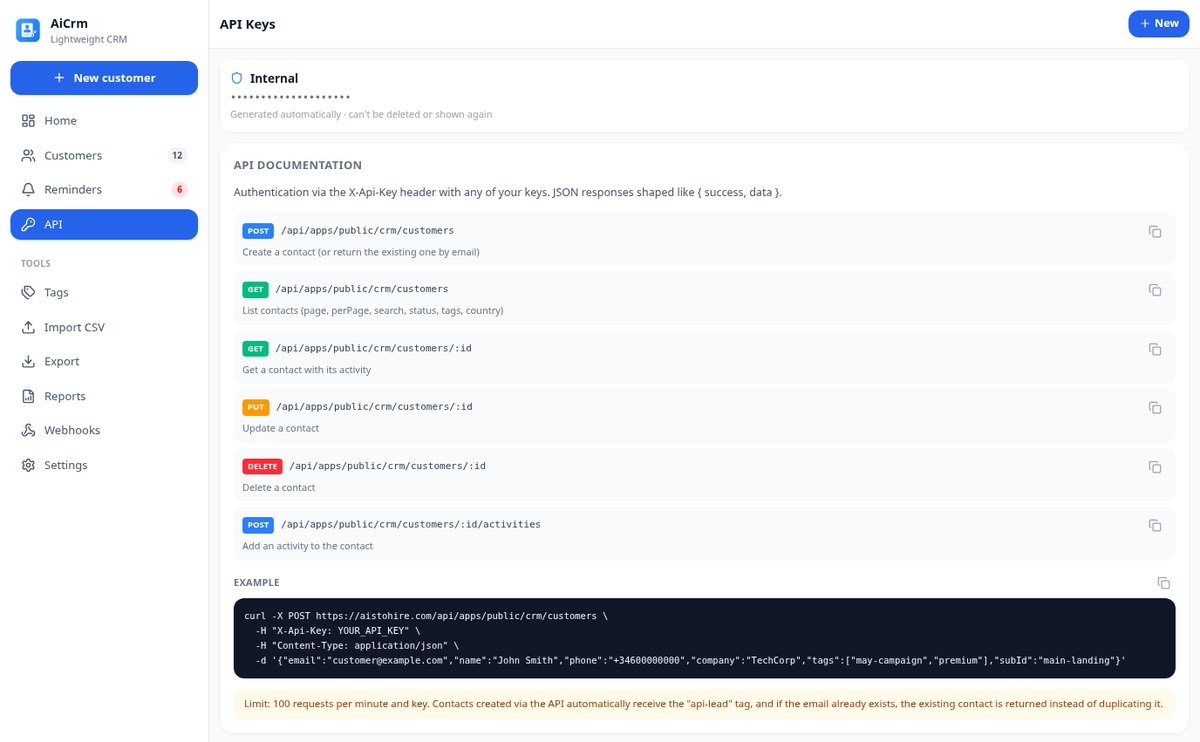
Public REST API CRM: create and query customers with an X-Api-Key HTTP header, up to 20 keys per integration, and outgoing webhooks signed with HMAC-SHA256. Lead registration from your website without duplicates.
View feature
Customer and Activity PDF Reports from your CRM | AiCrm
Generate PDF reports from your CRM: executive summary with metrics and distribution by country, filtered contact list, and chronological activity detail, with date range, lifecycle status, and country filters. Also available in CSV.
View featureFrom first contact to follow-up
O modelo de imagem pinta o fundo e nunca escreve texto: o rótulo é composto pelo servidor e é medido sobre o resultado. Ajustar o texto — posição, tratamento, cor, tipografia — recompõe o arquivo sem voltar a gerar arte, então é instantâneo e não gasta nada.

Records with tags, statuses, and timeline
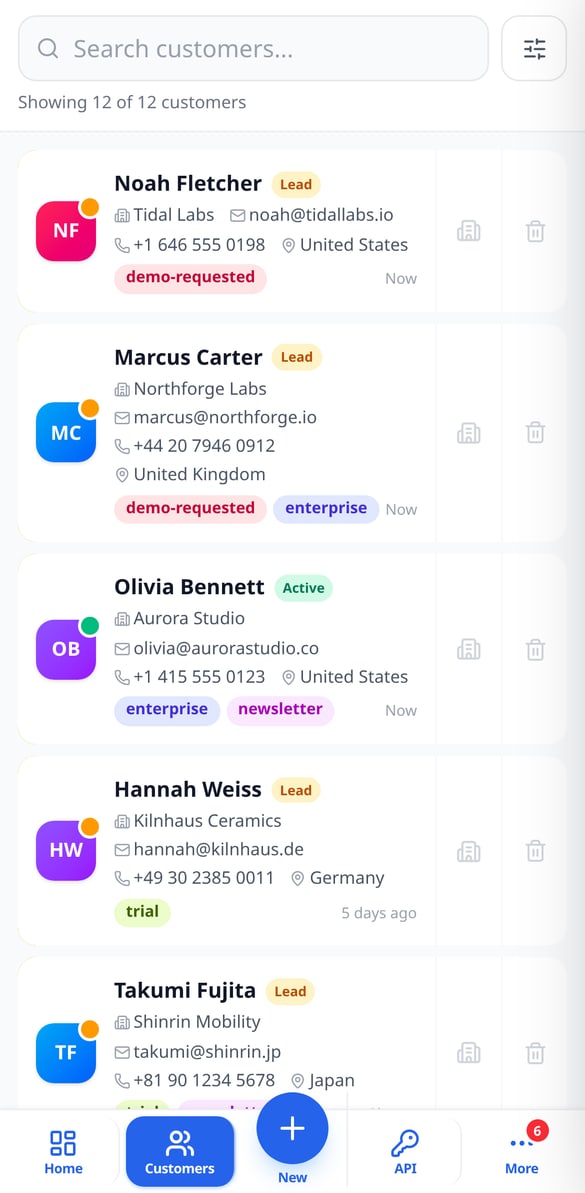
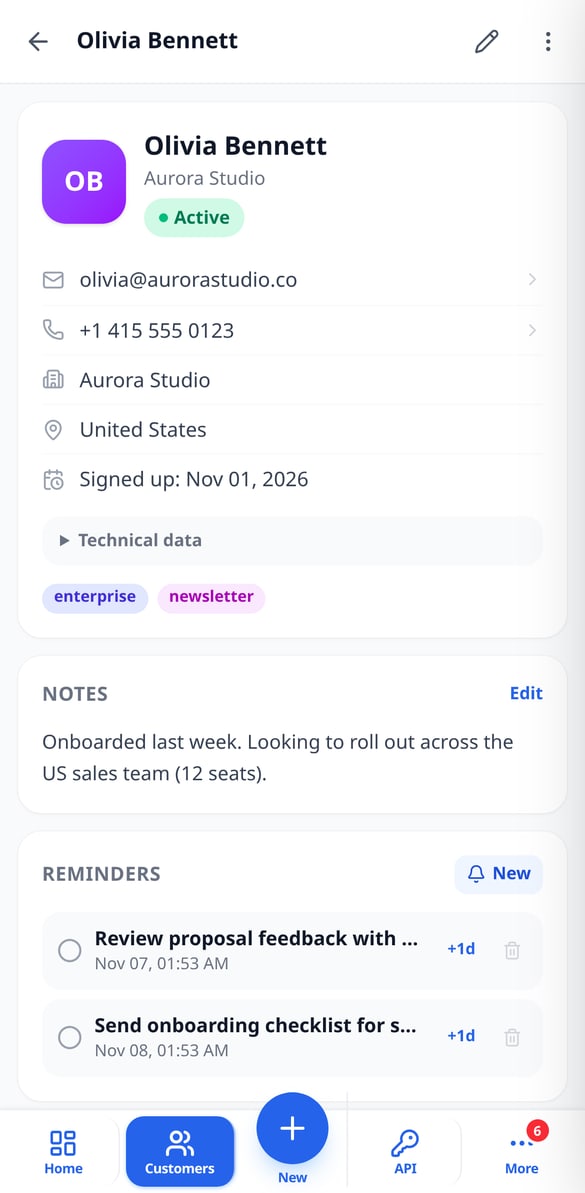
Each customer has a name, email, phone, company, country, notes, and the tags you assign, plus a lifecycle status: lead, active, inactive, or lost. Below, a timeline with everything that has happened — the signup, status changes, your calls, emails, meetings, and notes —. You search by name, email, phone, or company and filter by status, tags, country, or dates.

Reminders, duplicates, and CSV
Schedule a follow-up with a date and time, and mark it as done or postpone it when needed. If two records are the same person, AiCrm detects them by email, phone, or similar name and merges them field by field, combining tags and activity. Import your list from a CSV by mapping the columns and export it whenever you want by choosing which fields to include.

REST API, webhooks, and dashboard
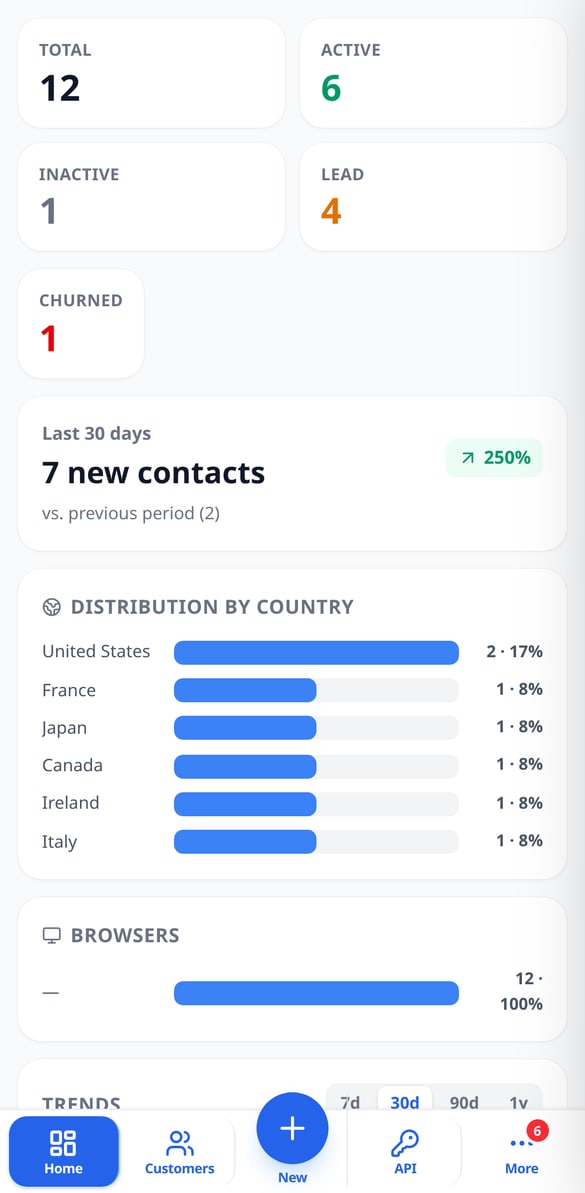
Create API keys with their own names and add contacts from your website, form, or chatbot with the tags you decide; if the email already exists, it isn't duplicated. When something changes, your webhooks receive the signed event. And the dashboard shows you the total by status, new signups from the last 30 days with their change, the source countries and browsers, and trend charts.
Get started in three steps
Diga o que você quer que toque
Toque em uma vibe do carrossel ou escreva a sua em uma linha. Essa semente viaja para todas as abas: as ideias de nome aparecem sozinhas, sem clicar em nada e sem cadastro.
Escolha o nome e o estilo
Fique com um título — ou converta-o para o estilo de letra que quiser —, e escolha o estilo visual e a paleta da capa. A paleta já vem pré-selecionada: se você for direto ao botão, também sai bem.
Baixe o arquivo medido
Veja sua capa nos três simuladores, ajuste o texto de graça quantas vezes quiser e baixe-a com os números à vista. O microguia de três passos diz exatamente onde colocá-la no Spotify, incluindo por que as playlists algorítmicas não deixam.
Frequently Asked Questions
Latest blog articles
Guides and news to get more out of it

Switching CRM without paying a toll: what the Data Act guarantees you from January 12, 2027
From January 12, 2027, the Data Act prohibits exit fees from a SaaS. Audit your CRM contract and migrate your contacts without losing data.
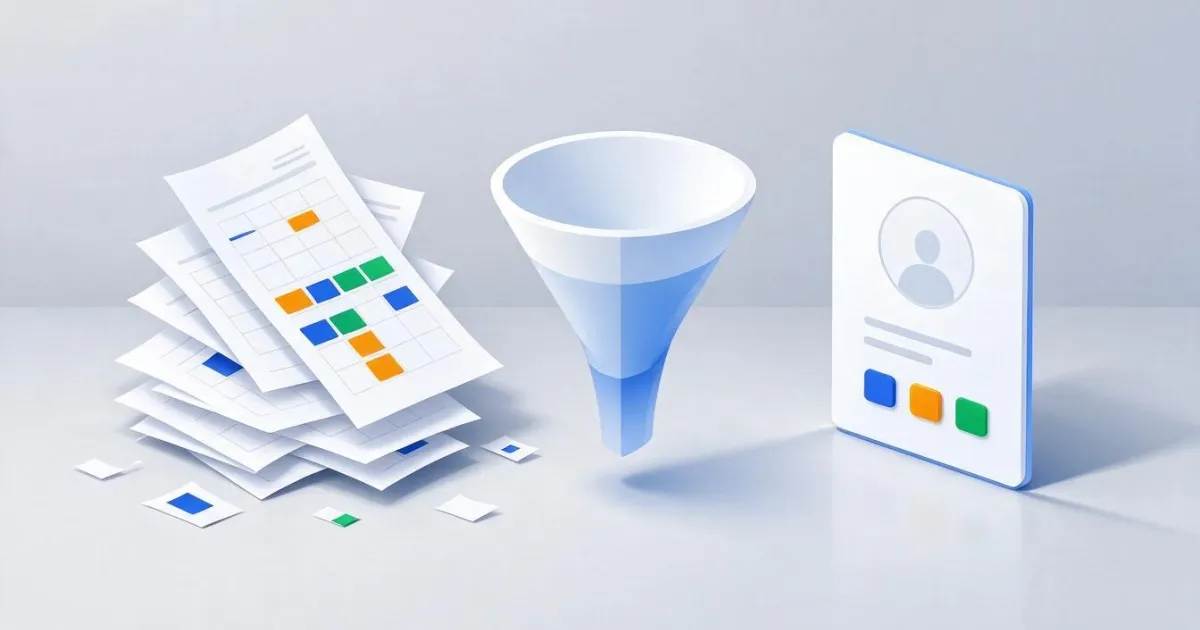
How to transfer your clients from Excel to a CRM without losing data or duplicating contacts
Step-by-step guide to migrating your client database from Excel to a CRM: prepare the sheet, export the CSV in UTF-8, map the columns, import in batches, and merge duplicates without losing data.
Organize your customer base today
Os nomes, os estilos de letra e os contadores são grátis e sem cadastro. Crie sua conta gratuita quando quiser a arte da capa e salvar suas peças.